Start from Words Alone
Nothing to upload: write who is in frame, what they do, how the camera moves and what we hear, with the spoken line in quotes. This 16:9 night-market shot is also Video 1 in the last example.
What went in
What came out
Black Friday: 30% off with code MAGI2BF30. It covers the first payment of any plan and every credit pack you buy, until December 1, 23:59 Beijing time (15:59 UTC)
See pricesWrite a scene, start from a photo, pin a first and last frame, or hand over up to 10 pictures, 5 clips and 5 audio files as references. Magi 2 returns 4 to 30 seconds of 1080p video with its own soundtrack, at 16 credits a second.
Prompts asking for nudity, sexual content, or a real person's face or voice are refused before any credits are taken. Terms of Service
Five clips rendered for Magi2AI on 25 November 2026, from our own prompts and pictures. Pick one to load its prompt, uploads and settings into the generator.
Five inputs, five real renders
Your uploads set the mode: nothing for text to video, one picture to animate, two for a first and last frame, and pictures, clips or audio as references. Each panel puts the actual input beside the actual output.
Nothing to upload: write who is in frame, what they do, how the camera moves and what we hear, with the spoken line in quotes. This 16:9 night-market shot is also Video 1 in the last example.
What went in
What came out
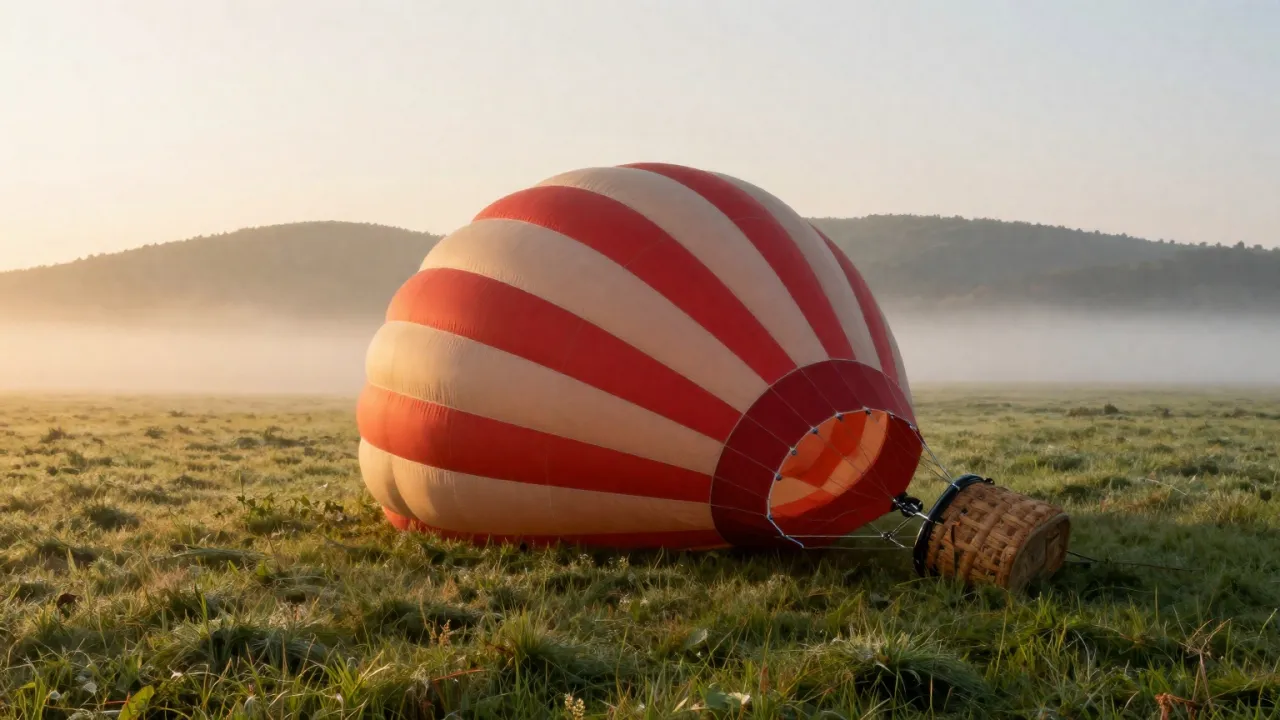
The photo becomes frame one and fixes the shape of the clip. Describe what moves and where the camera goes: here a striped balloon fills, rises and lifts off the meadow in 4 seconds.
What went in
What came out
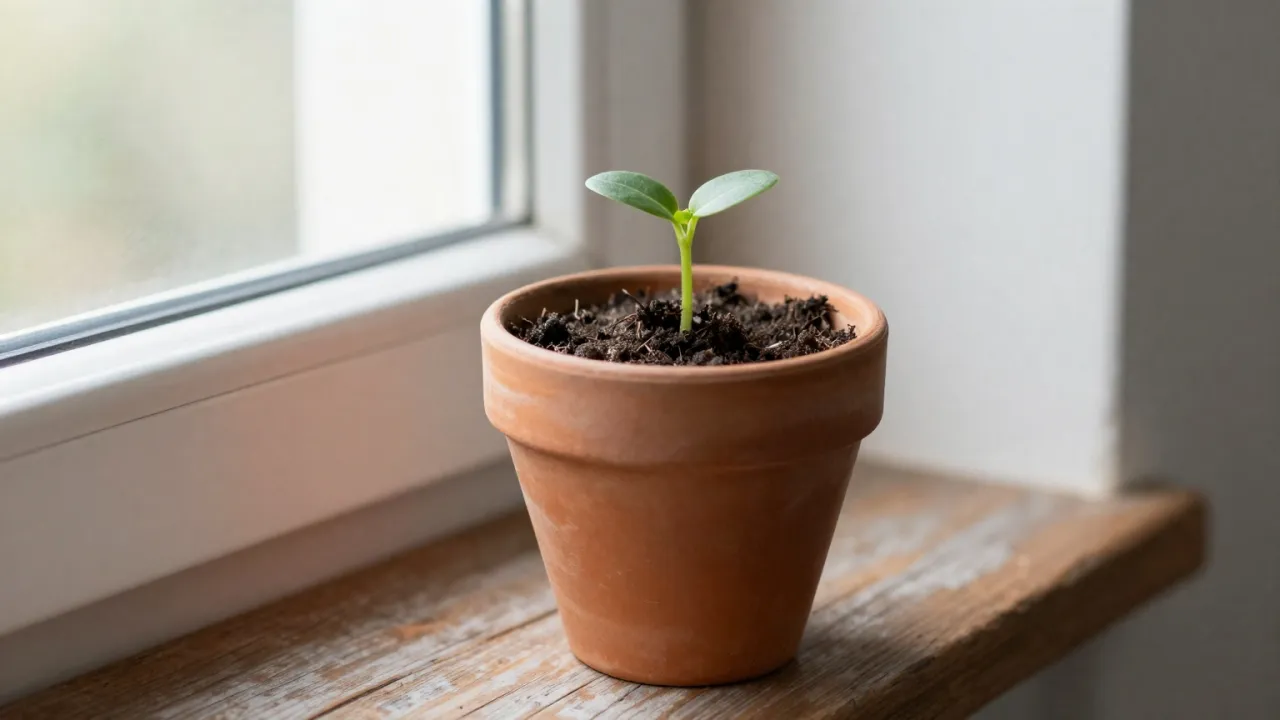
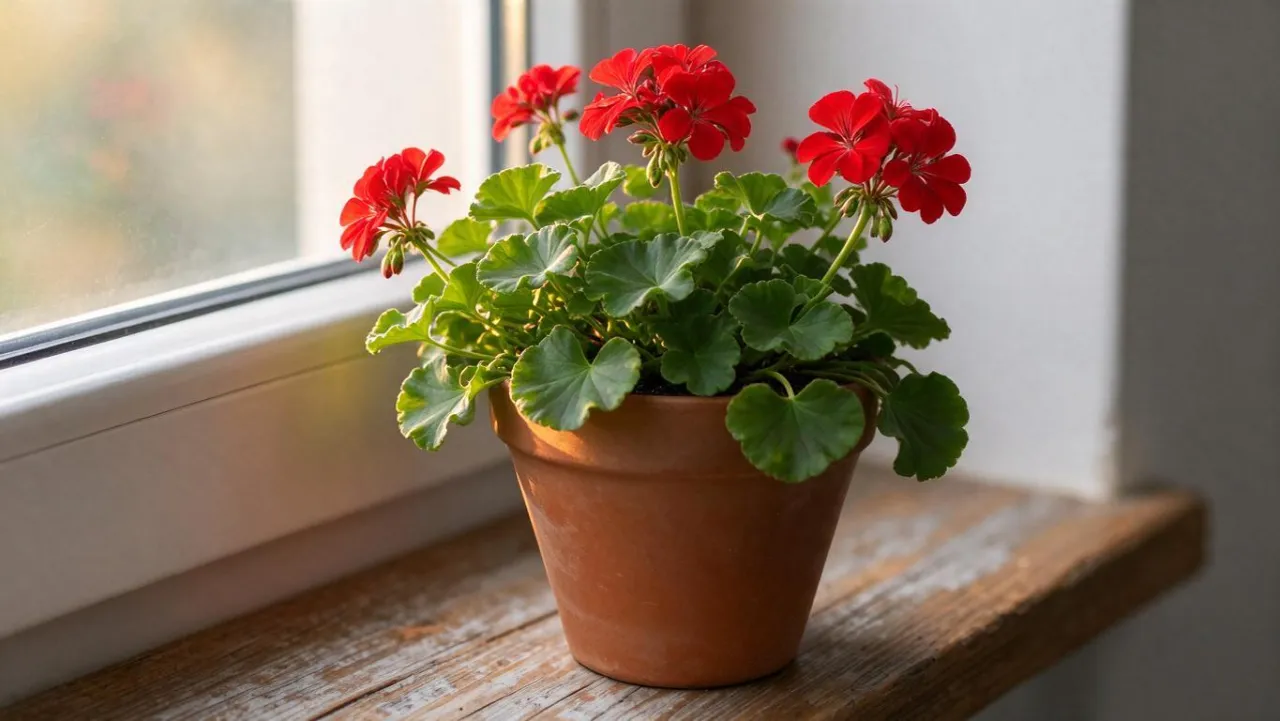
Give it a seedling in a terracotta pot and the same pot in full bloom. The model works out the 4 seconds in between as a windowsill time-lapse, light shifting from morning to afternoon.
What went in
What came out
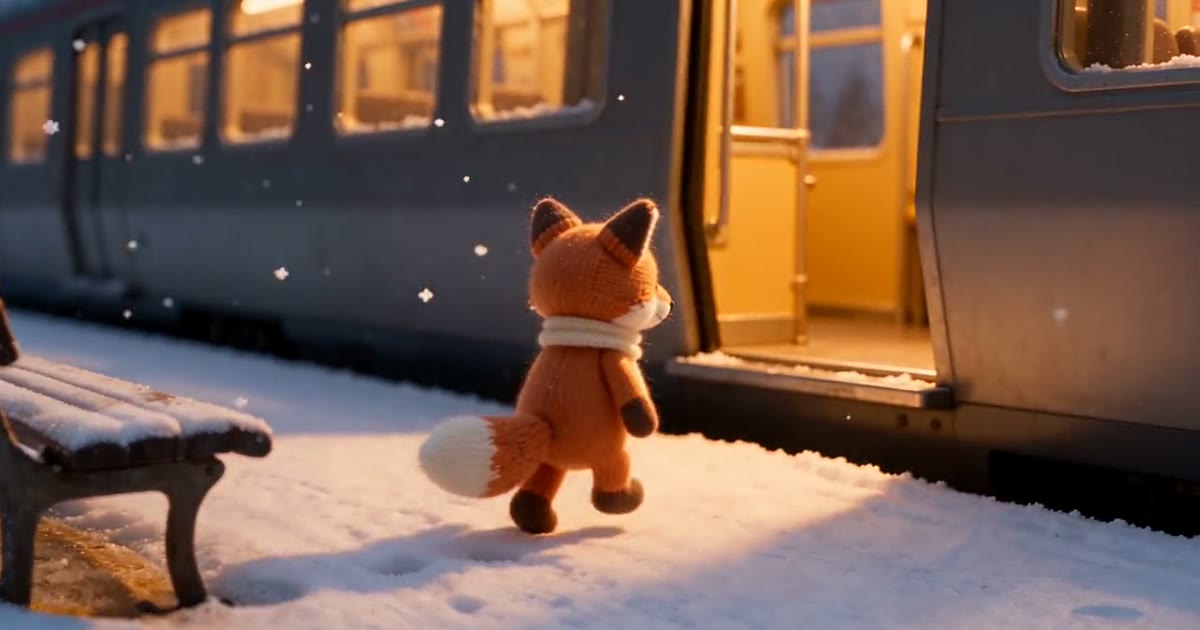
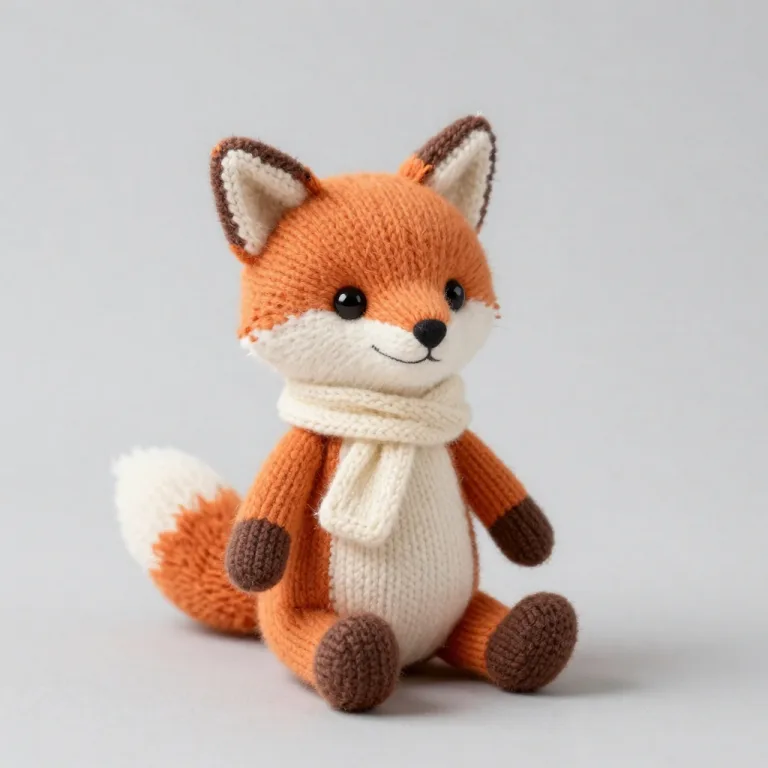
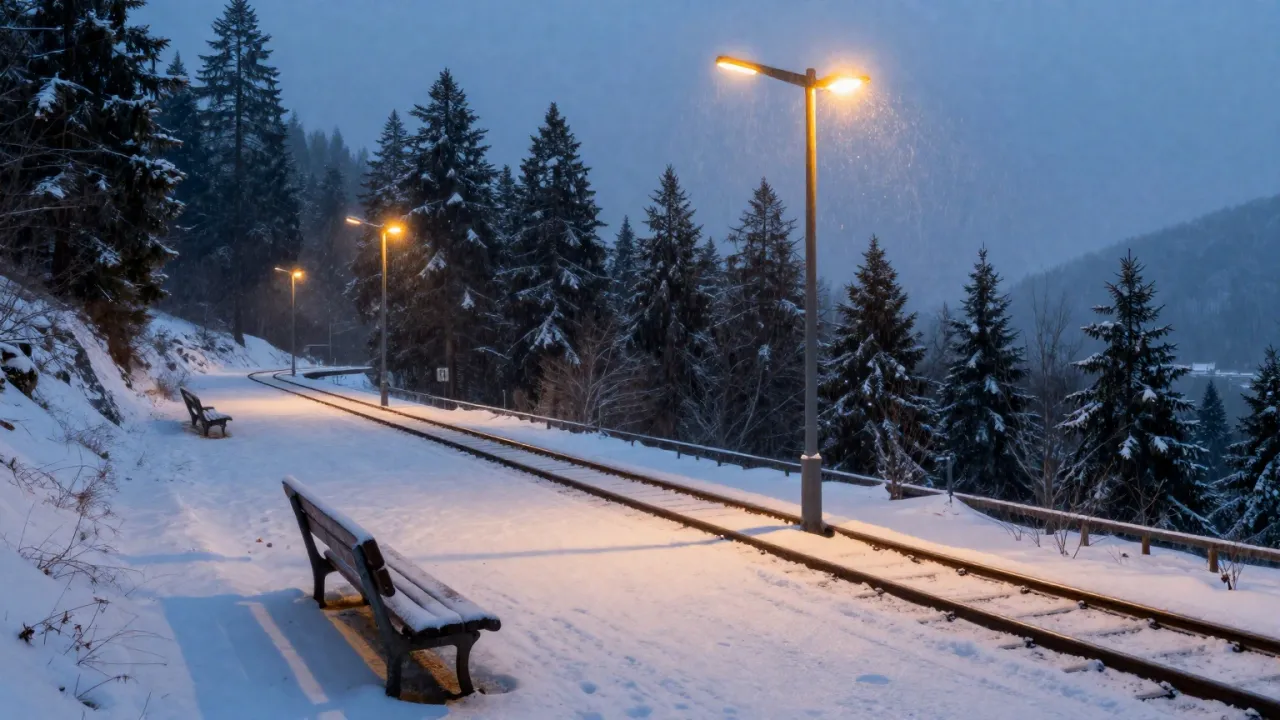
Upload a character and a location, then call them Image 1 and Image 2. The knitted fox waits on a snowy platform and waddles to the train, with Magi 2 taking up to 10 pictures per request.
What went in
What came out
Pair a picture with a clip: the knitted fox (Image 1) takes over the noodle stall from the hero shot (Video 1). The model keeps the rainy market, the neon and the slow push-in, and adds the fox's own sound.
What went in
What came out
Use cases
Every clip here was rendered for this page. The button loads its prompt and any uploads it used.
A rainy night market, a cook calling out to camera, the wok sizzling under her voice: one paragraph gave a 16:9 scene with dialogue. Useful for ads, cold opens and short films where someone has to speak.
Photograph how it starts and how it ends, then let the model fill the motion between the two frames. This seedling-to-geranium time-lapse came from two pictures and cost 64 credits for 4 seconds.
Upload your mascot once and bring it back as Image 1 wherever it needs to appear. Here the knitted fox takes over the noodle stall from our hero clip, which went in as Video 1 so the market and the push-in carry over.
Say who is in frame, what happens, how the camera moves and what we hear, with any spoken line in quotes. Add a picture, a last frame, or reference pictures, clips and audio if you have them.
Pick 4 to 30 seconds and one of six ratios, from 9:16 up to 21:9. Every render is 1080p with sound, and the button shows the credit cost before you start.
Clips reach your library once the provider queue gets to them (up to about an hour in launch week). Change a line of the prompt for another take, or feed a finished clip back in as Video 1. Download the clips you keep: the library holds them for 7 days.
Why Magi2AI
Where the model is strong, and how this site keeps the price predictable.
Pick any whole length from 4 to 30 seconds, always 1080p at 25 fps, in six ratios including 21:9 widescreen. Sand AI says the model can hold one long take or cut where the prompt asks.
The cook's line, the sizzle and the rain in the clip above came from the same render as the picture. Put dialogue in quotes and list the sounds you want; press the speaker on any clip to listen.
Hand over up to 10 pictures, 5 clips and 5 audio files and name them in the prompt. Keep a product or character consistent, follow a clip's camera move or match a sound, at no extra cost.
16 credits a second whatever the ratio or the uploads, and the price appears before you render. If a generation fails or is refused, the credits go back on their own.
Every second of Magi 2 video costs the same 16 credits. Buy a pack for one project, or a plan if you render every week.
Black Friday: 30% off with code MAGI2BF30. It covers the first payment of any plan and every credit pack you buy, until December 1, 23:59 Beijing time (15:59 UTC)
Enter the code on the checkout page after you press Buy or Get.
Lite
About 10 default clips a month.
about $0.010 per credit
Roughly $0.83 a clip
Included
Pro
For creators posting new video each week.
about $0.008 per credit
Roughly $0.66 a clip
Everything in Lite, plus
Ultra
For teams and studios rendering every day.
about $0.007 per credit
Roughly $0.55 a clip
Everything in Pro, plus
Tax is included where applicable.
Walkthroughs, cost notes and render tests for this model.
FAQ
Sign in, type the scene and press Generate. Your uploads decide the mode: none gives text to video, one picture becomes the opening frame, a second picture can be the last frame, and extra pictures, clips or audio files act as references. Finished clips go to your library. Clips stay in the library for 7 days, so download the ones you want to keep.
MAGI-2 is a video model from Sand AI, released on 24 November 2026. It makes 1080p clips of 4 to 30 seconds with sound, from text, pictures or references. Its weights are not public: Sand AI says an open release is coming but has given no date. The open MAGI-2 Preview (10-second clips, Apache-2.0) is a separate, smaller model. Magi2AI reaches Magi 2 through WaveSpeed's API.
Both are in the model menu. Magi 2 is the default: 1080p only, 4 to 30 seconds, 16 credits a second, references that include clips and audio, and 21:9 widescreen. Wan 3.0 is still in the menu when you need to edit or extend footage you already have, or want a cheaper 480p or 720p draft; it costs 10, 20 or 40 credits a second.
Up to 10 pictures, 5 video clips and 5 audio clips. Each clip or audio file can run 2 to 30 seconds, and together they can't pass 30 seconds; anything longer is trimmed. In the prompt, call them Image 1, Video 1, Audio 1 and so on, in upload order.
Not for video. New accounts get 10 credits, which covers two pictures in image mode. The shortest Magi 2 clip, 4 seconds, costs 64 credits, so video needs a plan or a credit pack.
Every Magi 2 clip comes with sound generated in the same pass as the picture: spoken lines, effects, and music or ambience. Put dialogue in quotes and describe the sounds you want. Wording and lip timing can drift, so check spoken lines before you publish. Sound cannot be switched off.
Attach one picture and it becomes the opening frame; the clip keeps that picture's proportions. Add a second picture as the last frame and Magi 2 works out the motion between the two, like the seedling-to-geranium time-lapse on this page. Both cost the usual 16 credits a second.
It depends on the queue more than on the clip. In launch week (late November 2026) our own test renders waited about an hour on the provider's side before they started, and two had to be resubmitted. You don't need to keep the page open: the clip appears in your library when it's ready, and a failed render returns its credits.
Fast action can glitch, 2D animation can look too smooth, layered sound can come out thin, and spoken lines may shift in wording or timing. Complex camera moves sometimes lose the subject. Sand AI says the model holds long single takes and cuts where the prompt asks, but we get the best results planning one shot per clip. There's no cheap draft tier either: every Magi 2 render is 1080p.
A flat 16 credits per second at 1080p, whatever the shape or the uploads. The 4-second minimum is 64 credits, the default 5-second clip is 80 and a full 30 seconds is 480. References, a last frame and audio add nothing. The button shows the total before you generate.
Any whole number of seconds from 4 to 30, always at 1080p and 25 fps. Choose 16:9, 9:16, 1:1, 4:3, 3:4 or 21:9 cinema widescreen. When you start from a picture, the clip takes that picture's shape instead.
That is governed by Sand AI's and WaveSpeed's current terms, which we can't interpret for you. Check them before client work, and leave real people's faces, other brands' logos and material you don't own out of your prompts and uploads.
No. Magi2AI is an independent site with no tie to Sand AI. Your requests run on Sand AI's model through WaveSpeed, a third-party API platform, and Sand AI does not operate or endorse this site.
Pick a plan or a credit pack. You see the price before anything renders, and a failed render refunds itself.